A team of AI agents working on your code, from your PC.
ArakCode splits the work into tasks and hands them to Claude Code, Codex and the other agents you already use. You watch the terminals, answer when needed and approve the result.
Sign in and download How it works
Private beta: access by invitation. For Windows 10 and 11.
ArakCode
splits the request into 6 tasks
writes /api/bookings
reads task 3 again
runs 48 tests: 48 green
updates the README
How it works
-
Describe what you want
Write the request as you would to a colleague: a new feature, a bug, a whole website.
-
ArakCode plans it
It splits it into tasks with estimates, order and dependencies. You see and change the plan before anything starts.
-
The agents work
Each task goes to an agent in its own terminal, on a separate branch. Another agent reviews the work.
-
You decide
ArakCode calls you only when needed: a question, a permission, finished work to try and merge.
Build the team you want
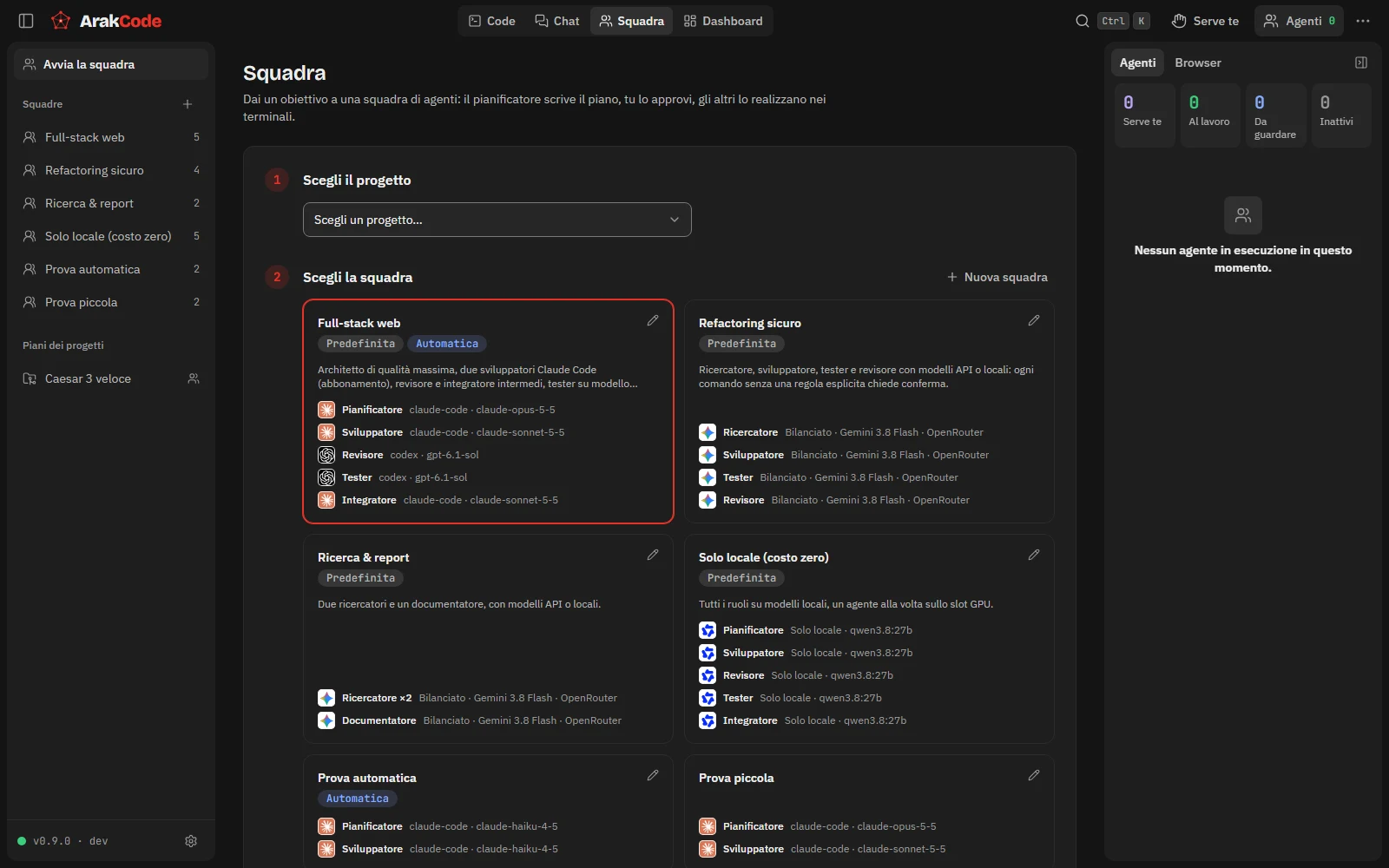
Start from a ready-made team or make your own: pick the CLI and the model for each role. The smartest planner, fast developers, a tester that costs nothing because it runs on your graphics card.
Why ArakCode
- Use your subscriptions
- It works with the official CLIs: Claude Code, Codex, OpenCode, Gemini CLI, Copilot and more. No resold keys, no middlemen.
- Costs under control
- See what each agent and project spends, with limits that stop the work before it overruns.
- Your code stays yours
- Projects, prompts and code never leave your PC. The site only knows your email and linked PCs.
- Real terminals
- Each agent works in a terminal you can follow live, interrupt or take over.
- Not tied to us
- The account is for updates. If our site is down, ArakCode and your agents keep working.
Download ArakCode
Sign in with your invitation, download the installer and open it: it installs for your user, without administrator rights, with everything it needs inside.
- System
- Windows 10 or 11, 64-bit
- Download
- about 65 MB
- Updates
- automatic and signed
- Access
- by invitation, during the beta
Questions
Do I need an AI subscription?
Yes, at least one: ArakCode runs the official CLIs with your accounts (for example Claude Code with a Claude subscription). On first start it tells you which ones it found and how to install the others.
What does your server see?
Your email, your name and your linked PCs, with version and last access. Never code, prompts, project names or usage.
Windows shows a warning when I open the installer.
During the beta the installer is not signed for Windows yet. Choose «More info» and then «Run anyway»: later updates are signed and checked by the app.
Does it work on Mac or Linux?
For now only on Windows 10 and 11.
How do I uninstall it?
From Windows Settings, Installed apps. Your data stays unless you choose to delete it.